If you are picking up Gambonanza for the first time, or returning after months away, the v1.4.0 update is the best possible moment to start. This patch is not a balance overhaul that punishes newcomers. It is an accessibility and quality-of-life release that gives every new player three tools they badly needed: a calmer AI option for predictable opponents, a safety net that lets you recover pieces you lose, and settings that make the board readable instead of intimidating.
The core answer is simple. Start on PAWN difficulty. In the new Extra settings tab, turn on Skip Animations and algebraic notation. If you already know chess, switch on Enhanced AI Mode for opponents that behave predictably. When a key piece dies, open the Graveyard and buy it back. That is the whole beginner survival kit for post-1.4 play. Everything below is detail and context.
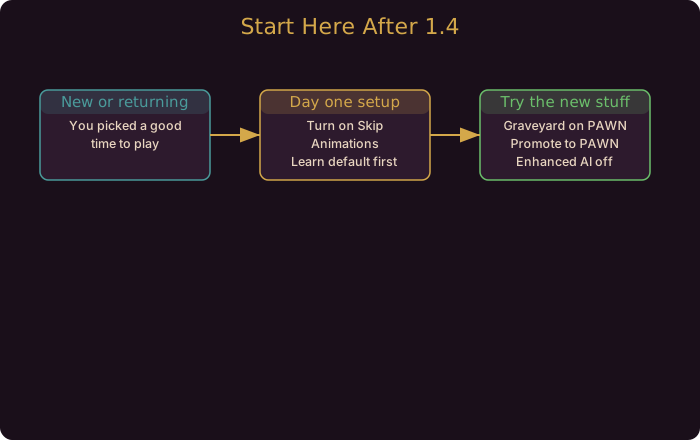
Why 1.4.0 Is the Right On-Ramp
Earlier versions of Gambonanza threw you into a roguelike where enemy decisions could feel random and a single early loss could snowball. The v1.4.0 update quietly fixes that. The developer notes describe a patient, feature-focused patch rather than a competitive shakeup. For someone learning the systems, that means the game is more willing to cut you slack than ever before.
The three beginner-relevant systems are Enhanced AI Mode, the Graveyard, and a batch of quality-of-life settings. The full list of every 1.4.0 change sits in our 1.4.0 Patch Breakdown, but you do not need most of it on day one.
Enhanced AI Mode: For Players With a Chess Background
If you learned chess before you learned Gambonanza, Enhanced AI Mode (Main Menu -> Settings -> Extras) is the setting you have been waiting for. Normally the enemy plays a looser, more chaotic brand of chess suited to the roguelike format. Enhanced AI makes enemies play conventional, deliberate chess. They avoid obvious blunders, avoid crumble tiles when possible, and the ELITE modifier is switched off so the match stays strictly logical.
For a deeper look at how the mode changes enemy tactics, see our Enhanced AI Mode Guide.
The Graveyard: Your PAWN-Difficulty Safety Net
This is the single most beginner-friendly addition in the patch. The Graveyard keeps the last five pieces you lost during a run. On PAWN difficulty you can spend money to bring them back. The catch is that each recovered piece raises the cost of the remaining ones, so the longer you wait, the pricier recovery gets.
Two rules to internalize:
- The Graveyard is a PAWN-difficulty feature. From KNIGHT upward the Strain system removes it, because at higher tiers mistakes are meant to stick.
- Use it for key pieces, not every pawn. If your build depends on a specific Queen or Bishop and it dies on turn two, buy it back. Do not burn your economy recovering throwaway pawns.
The Graveyard turns the worst variance of early runs into a managed cost. Our Graveyard System Guide covers the escalation math and recovery timing.
Quality-of-Life: Settings That Teach You the Game
The quiet MVP of v1.4.0 is the Settings upgrade. A new Extra category gathers options that previously did not exist, and two of them directly help newcomers learn:
- Skip Animations: cut Gachapon and Piece Wheel animations and skip Boss intros. Faster feedback loops mean you spend more time reading the board and less time watching cutscenes.
- Algebraic notation: toggle column and row labels next to tiles. If you read chess coordinates, this makes the board legible immediately.
Also present: Unlock All, Erase Save Data, and new visual effects when Crumble Mode starts or only one piece remains. None of these are required, but Unlock All is a useful sandbox toggle if you want to experiment with Gambits outside a real run.
A Suggested Beginner Learning Path
Follow this order and your first ten hours will be far smoother:
- Start on PAWN. It is the only tier with the Graveyard, and it keeps the stakes low while you learn.
- Open Extra settings and turn on Skip Animations plus algebraic notation. Both reduce friction and improve board readability.
- Try Enhanced AI Mode only if chess is already in your toolkit. If you are new to chess entirely, leave it off and learn the game’s own rhythm first.
- Use the Graveyard to recover key pieces, not every loss. Protect your win-condition pieces.
- Once comfortable, switch Enhanced AI off to earn achievements and extra rewards as you climb toward KNIGHT.
This path leans entirely on verified 1.4.0 features. You are not missing hidden mechanics; the patch genuinely built these training wheels in.
What You Can Safely Ignore at First
v1.4.0 also shipped balance tweaks (Yin and Yang trigger at 1/2, Rear Up pays +$4, promote-into-PAWN is now real) and Gambit revamps (Clown’s, Enigma’s, AFK’s). These matter for optimization, not survival. Save them for your second week. The 1.4.0 Patch Breakdown explains each one when you are ready.