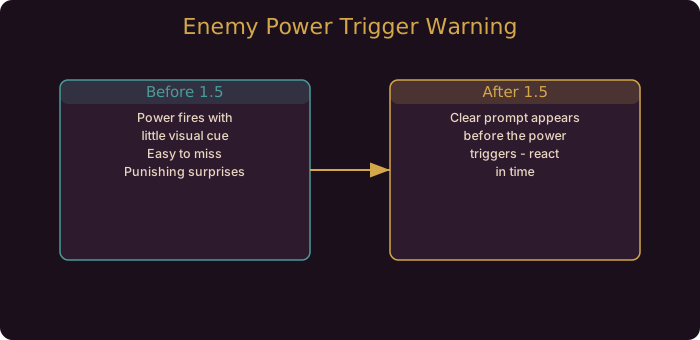
Why Enemy Power Feedback Was a Problem
Enemy powers are the abilities that make Gambonanza’s enemies more than vanilla chess pieces. Some eat pieces, some modify the board, some punish specific positions. The trouble was never that the powers existed. The trouble was that their activation was not obvious enough. You could lose a key piece to a power you did not see coming, and the game gave you little chance to respond.
v1.5.0 addresses that directly. The developer notes describe “better feedback when an enemy power is about to trigger, to make them more obvious.” That phrasing matters: the power still triggers, but you now get a clearer cue beforehand.
How to Read the Warning Window
The cue is a fair warning, not a pause button. The power will still fire. What changes is that you have a moment to react. Use it with discipline:
- Identify the target. The most common mistake is reacting to the warning without knowing which of your pieces is threatened. Look first.
- Pick one response, not three. Either shield the piece, move it out of range, or accept the loss on purpose. Do not split your attention across options in a two-second window.
- Do not open a tooltip. The warning window is not the time to read. If you do not already know what the power does, that is a gap to close between runs, not during one.
- Accept losses deliberately. Sometimes eating the loss is correct. A pawn lost to save a Queen is a good trade. The warning helps you make that call consciously instead of discovering it after the fact.
A Practical Example
Picture a Stage 3 board where an enemy power is about to fire and your Bishop is the piece it threatens. Before 1.5.0, you might not have noticed until the Bishop was gone. After 1.5.0, the warning appears. You have two viable lines: shield the Bishop if your build depends on it, or move it and let a Pawn absorb the hit if you can spare one. The warning turns a passive loss into a decision.
If you are running a build where the Bishop anchors a diagonal, you shield. If the Bishop is expendable and you want to keep tempo, you move and accept the Pawn loss. Either way, the choice is yours now.
Which Powers Deserve the Most Attention
The developer did not enumerate every power in the 1.5.0 notes, so the honest approach is to learn the categories that hurt most:
| Power Type | Threat | Best Response |
|---|---|---|
| Piece capture | Direct loss of a piece | Shield or relocate the target |
| Board modification | Alters tiles you rely on | Reposition before it lands |
| Positional punish | Rewards the enemy for your setup | Break the pattern or hold |
| Economy drain | Costs you gold or stock | Accept if minor, else shield |
Learn which category each enemy falls into, and the warning window becomes a reflex rather than a scramble.
Pairing Warnings With Board Reading
The warning is only useful if you already read the board well. Two habits sharpen that:
- Track threats every turn, not just when a warning fires. If you know which piece is exposed, the warning confirms what you already suspect.
- Keep a mental priority list of which pieces are worth protecting. When the warning appears, you check the list, not the whole board.
Our UI and text readability guide covers how the 1.5 revamp makes the board easier to scan in the first place, which directly supports this habit.
What This Means for Your Builds
- Reactive play is rewarded. Losses that were once unavoidable now have a response window.
- Knowledge compounds. The warning is only as useful as your understanding of the power behind it.
- Protect your anchors. Builds with a single load-bearing piece benefit most from the new cue.
- No numbers changed. This is a feedback change, not a rebalance. Your counters still work.
Where To Go Next
If you want to go deeper on the systems referenced here, read the UI readability guide and Enhanced AI Mode guide. They cover the mechanics this patch touches in full detail.
Pair the warning with a mental priority list of your protected pieces. When it fires, you check the list, not the whole board, and your response is instant.
Community Resources
Guide updated for Gambonanza v1.5.0 (released August 2026). The enemy power feedback change is confirmed in the official 1.5.0 Steam news post.