Why Readability Is a Real Advantage
Gambonanza throws a lot at you at once. A small board, a Gambit sidebar, a Shop, and a HUD all compete for attention. Every time you have to squint or re-read a tooltip, you lose tempo. In a turn-based roguelike, tempo is everything: the player who reads the board faster makes more moves in the same amount of thinking time, and makes fewer misreads.
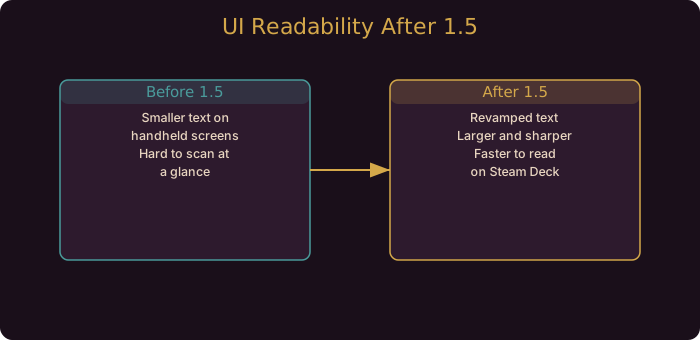
That is why the 1.5.0 UI revamp is more than a coat of paint. The developer explicitly notes it makes text easier to read, and that it mainly affects Steam Deck. On a handheld, where the screen is small and your eyes sit close to it, legible text is the difference between a smooth run and a frustrating one.
What the Revamp Changed
The developer’s notes describe a UI revamp focused on text readability. The practical effect is that labels, descriptions, and menu text are clearer than in earlier builds. On desktop the change is subtle; on Steam Deck it is significant.
The change also pairs with earlier platform fixes:
- Letterboxing fix (1.5.1). Black bars on some Linux devices were removed, so the board uses the full screen.
- Cursor visibility fix (1.5.2b). An invisible cursor on some Linux setups was fixed, so any pointer-based navigation works.
- Hover info fix (1.5.3). Pressing Pause or Info while hovering a piece or Gambit now shows the description in front of the menu instead of behind it.
Together, these remove the four biggest readability annoyances on handhelds: small text, wasted screen space, a missing cursor, and hidden tooltips.
Settings to Combine With the Revamp
The revamp is the baseline. Three settings finish the job:
- Algebraic notation. Adds column and row labels next to tiles. If you read chess coordinates, this makes positions unambiguous and lets you refer to squares precisely.
- Skip animations. Cuts Gachapon and Piece Wheel transitions. Less animation means less visual noise and a shorter loop between decisions.
- Enhanced AI Mode (optional). On PAWN or practice runs, this changes enemy behavior to conventional chess. It is a separate axis from readability, but a calmer opponent is easier to read.
Our Steam Deck settings guide walks through these in a handheld context.
A Practical Example
Imagine you are on Steam Deck, mid-run, and you need to check whether a Gambit in your sidebar triggers on capture or on promotion. Before 1.5, you would hover, squint at a small tooltip, and maybe misread it. After the revamp and the hover-info fix, the text is clear and the description appears in front of the menu, so the read is fast and correct.
That single interaction, repeated dozens of times per run, is where the revamp pays off. It is not one dramatic improvement. It is many small ones.
Readability Habits That Help
- Scan the board before the sidebar. Use the clearer text to identify the board state first, then check Gambits that apply.
- Use coordinates when precision matters. With algebraic notation on, refer to squares by name in your head. It reduces ambiguity when planning multi-move sequences.
- Keep animations off. Visual noise is the enemy of fast reading.
- Read Gambit text between runs. The collection tab was optimized in 1.5.3. Use downtime to learn names and effects so in-run reads are recognition, not study.
Change Reference
| Change | Version | Effect on Readability |
|---|---|---|
| UI and text revamp | 1.5.0 | Clearer labels and descriptions |
| Letterboxing fix | 1.5.1 | Full-screen board, no wasted space |
| Cursor visibility fix | 1.5.2b | Pointer usable on Linux |
| Hover info fix | 1.5.3 | Tooltips show in front of menus |
| Collection tab optimization | 1.5.3 | Smoother Gambit browsing |
What This Means for Your Builds
- Readability is a skill edge. Faster reading means faster, more correct decisions.
- Steam Deck is now viable for serious play. The revamp plus Verified status removes the information disadvantage.
- Combine the toggles. Revamp plus algebraic notation plus skip animations is the full package.
- No strategy changed. This is presentation, not balance. Your builds are unaffected.
Where To Go Next
If you want to go deeper on the systems referenced here, read the Steam Deck settings guide and enemy powers guide. They cover the mechanics this patch touches in full detail.
Turn animations off and algebraic notation on. Together they remove visual noise and give every square a name, which is the fastest way to read a dense board.
Community Resources
Guide updated for Gambonanza v1.5.x (released August to September 2026). The UI revamp and related UI fixes are confirmed in the official 1.5.0, 1.5.1, 1.5.2b, and 1.5.3 Steam news posts.